The beautiful tip of the iceberg
Most of what we build you'll never see. This is the part you can.
- Below the surfaceSaaS platforms, cloud systems and the engineering businesses run on.
- Above itA small glimpse of our UI/UX craft — ten real product interfaces.
We are a .NET MAUI Blazor Hybrid development company
Android | iOS | Windows
We can build anything for you using .NET MAUI
See What We BuildBuild once, deploy to every platform
A single C# codebase that runs natively on iOS, Android, Windows and macOS — sharing your Blazor UI components and business logic across every target. Delivered by a UK Microsoft Partner with 25+ years of .NET experience.
🔀 Mix and Match Your Platforms
Build for all platforms, or just the ones your customers use — we manage every step from first commit to app store approval.
Android
Targeting Android 5.0+ (API 21+) with full native performance via .NET for Android. We handle the complete Gradle build pipeline, APK & AAB signing, and end-to-end Google Play submission.
- Android Manifest & runtime permissions
- Keystore management, APK & AAB signing
- Google Play Console & staged rollouts
- Firebase push notifications (FCM)
- In-app billing & subscriptions
- Adaptive icons & material theming
- ProGuard / R8 code shrinking
- 🌍 Largest global market share
- 🔓 Flexible sideloading & MDM
- 📡 Deep hardware integration
- 📱 Broadest device ecosystem
iOS & iPadOS
Targeting iOS 15+ and iPadOS with full .NET for iOS native bindings. We manage Apple's provisioning and code-signing workflow end to end, from certificate creation through to App Store approval.
- Apple Developer Programme & team admin
- Provisioning profiles & certificates
- App Store Connect & TestFlight
- APNs push notifications & entitlements
- App Clips, widgets & Siri shortcuts
- In-App Purchase & StoreKit 2
- App Store review compliance
- 💎 Premium high-spending audience
- 🔒 Industry-leading security
- 🧪 TestFlight beta distribution
- 📦 Consistent hardware ecosystem
Windows
Targeting Windows 10/11 via WinUI 3 and the Windows App SDK. We deliver Microsoft Store packages and enterprise MSIX bundles for line-of-business deployment via Intune or Group Policy.
- WinUI 3 & Windows App SDK integration
- MSIX packaging & EV code-signing
- Microsoft Store Partner Centre
- Windows Push Notifications (WNS)
- Windows Hello biometric auth
- Background tasks & taskbar
- Intune MDM & Group Policy
- 🏢 Ideal for LOB & enterprise apps
- 🔗 Native Microsoft 365 & Entra ID
- 🖱 Mouse, keyboard, touch & pen
- 🖼 Large-screen multi-window support
macOS
Targeting macOS 12+ via Mac Catalyst and .NET for macOS. We leverage your existing iOS and Blazor codebase to deliver a polished native Mac desktop experience with minimal extra development effort.
- Mac Catalyst entitlements & Sandbox
- Mac App Store & Notarisation
- Menu bar & keyboard shortcuts
- File system & document workflows
- Retina / HiDPI optimisation
- Universal binary (Silicon & Intel)
- macOS privacy permissions
- 🍎 Apple desktop from shared codebase
- ⚡ Mac Catalyst adapts iOS UI naturally
- 💻 Growing Apple Silicon user base
- 🔄 Mac App Store auto-updates
Ready to ship your app on every platform?
🚀 Start Your Mobile ProjectOur .NET MAUI Blazor Expertise
We deliver software that just works.
We know what to use when and how to get it right, on time and on budget.
— End-to-end. We have you covered.

🤝 Your .NET MAUI Blazor Development Partner
Understanding your business goals and building mobile applications that add real value to your business
Shared Codebase
We design and develop your application once using C# and Razor components, deploying to every platform without rewriting a single line of business logic.
- Single C# codebase targets all platforms
- Razor components shared across web and native
- Business logic & services reused everywhere
- One test suite covers all platform variants
- Unified state management & data layer
- ⏱ Faster time to market
- 💰 Reduced development cost
- 🔄 Consistent behaviour
- 🔧 Simpler to maintain
Multi-Platform
Your application is available wherever your customers are — Google Play, Apple App Store, Microsoft Store, and as a Progressive Web App — all from a single build pipeline.
- Android, iOS, Windows & macOS from one project
- Google Play & Apple App Store managed end-to-end
- Progressive Web App for browser access
- Enterprise sideloading & MDM deployment
- Platform-adaptive UX on every device
- 🌍 Every platform covered
- 📱 Broadest device reach
- 🏪 All major app stores
- 🚀 One deployment pipeline
Secure by Design
We build robust, safe applications from day one. Security is never an afterthought — it is baked into the architecture, the data layer, and every API boundary.
- Azure AD / Entra ID authentication
- Biometrics — Face ID, Touch ID, Windows Hello
- Encrypted local storage & secure keychain
- SSL/TLS enforced on all API communication
- OWASP Mobile Top 10 compliance
- 🔒 Enterprise-grade auth
- 🛡 Compliant by design
- ✅ Security audited
- 👮 Zero-trust architecture
Cloud Backed
Every application we build is serviced and backed by Microsoft Azure — giving you scalable infrastructure, real-time data sync, and push notifications out of the box.
- Azure App Service & Azure Functions backend
- Azure SQL & Cosmos DB data storage
- Push notifications across FCM, APNs & WNS
- Real-time features via Azure SignalR
- Offline-first sync with conflict resolution
- ☁️ Infinitely scalable
- 📊 Built-in analytics
- 🔄 Offline-first ready
- 🔓 99.9% SLA uptime
Ready to start building something great together?
🤝 Let's Work TogetherHire a project manager and .NET MAUI development team for your next project.
Our .NET MAUI Mobile App Development
Build Once, Run Anywhere your customers need. Blazor Hybrid apps, that are robust and cost sustainable for your business.
Run on Android
Native support for Android mobile devices with the same, shared, code-base.
Run on iOS
Native iOS mobile applications with the same, shared, code-base.
Run on Windows
Native support for Windows using the same, shared, code-base.
Run on the Web
Web applications that run natively on a mobile phone, combining the best of web with the capabilities of the smartphone.

Microsoft Cloud
Application data and services backed by Azure to support your workflow.
Works Offline
No internet, no problem. Your users can continue being productive 24/7.
Always Secure
Ensuring your data remains safe at all times and adheres to compliance standards for your business domain.
Sustainable and Cost Effective.
We develop apps and services that are easy to maintain, that run on Android | iOS | Windows and Web, all from a single code-base saving your business time and cost as our applications run everywhere.
The .NET MAUI Blazor Hybrid Development Journey
From initial brief to app store launch — we guide and manage every phase of your cross-platform mobile application project with precision and full transparency.
Discovery & Strategy
We work closely with you to define business goals, target audience, platform priorities, and technical constraints. Every decision at this stage shapes the rest of the project.
Architecture & Design
We define the MAUI Blazor Hybrid solution structure, shared code boundaries, data models, API contracts, and platform-specific UX guidelines for iOS, Android, Windows, and macOS.
Project Setup & CI/CD
We configure the MAUI Blazor Hybrid solution with all platform targets, code-signing certificates, Azure DevOps build pipelines, and automated test agents from day one.
Shared Blazor UI Development
We build reusable Razor components, layouts, services, and shared business logic that run identically across all platforms — maximising code reuse and reducing time to market.
Platform-Native Integration
We integrate platform-specific APIs — camera, GPS, push notifications, biometric authentication, Bluetooth, and NFC — using .NET MAUI dependency injection and platform abstractions.
Quality Assurance & Testing
We run comprehensive tests across iOS simulators, Android emulators, and physical devices — covering unit, integration, UI automation, and performance benchmarking for every target platform.
App Store Submission
We manage the complete signing, provisioning, store listing, screenshot production, metadata, and review process for Google Play, Apple App Store, and Microsoft Store.
Launch & Ongoing Support
Post-launch we provide crash monitoring, performance analytics, OS compatibility updates, feature iterations, and long-term maintenance to keep your application healthy and growing.
🛠️ .NET MAUI Blazor Development Services
From greenfield builds to complex migrations — we deliver the right solution for your stage of the journey.
Greenfield Development
Specifically designed for brand-new projects, we architect sophisticated cross-platform applications from scratch — combining .NET MAUI and Blazor to deliver a scalable, future-proof foundation with zero legacy debt.
- Custom app architected from the ground up
- iOS, Android, Windows & macOS targets
- State-of-the-art UI/UX design system
- Shared C# business logic across all platforms
- Scalable architecture for long-term growth
- ⚡ Zero legacy constraints
- 🎯 Built for your exact needs
- 🔮 Future-proof from day one
- ⏳ Rapid iteration cycles
.NET MAUI Migration
We offer a seamless transition for existing applications to .NET MAUI Blazor — preserving your business logic and data models while upgrading the architecture, performance, and platform reach.
- Full codebase assessment & migration roadmap
- Xamarin.Forms → .NET MAUI upgrade path
- Preserved business logic & data models
- Minimal disruption to live operations
- Updated CI/CD pipelines for new platform targets
- 💰 Preserve existing investment
- 📱 Modern platform support
- ⚡ Measurable performance gains
- 🏪 Full app store compliance
.NET MAUI Modernisation
We rejuvenate aging applications with a comprehensive UI/UX redesign, performance optimisation, and the integration of modern .NET MAUI Blazor capabilities — extending relevance and operational efficiency.
- Comprehensive UI/UX redesign
- Performance profiling & optimisation
- Integration of modern .NET MAUI Blazor features
- Accessibility & compliance improvements
- Extended OS version & device support
- 📊 Extended market relevance
- 📈 Measurable performance uplift
- 👥 Better user retention
- 🔮 Positioned for scale
.NET MAUI with Azure
We combine .NET MAUI Blazor with the full power of Microsoft Azure — delivering scalable, AI-ready, cloud-native applications with real-time data, serverless computing, and enterprise-grade security.
- Azure App Service & Functions backend
- AI & Cognitive Services integration
- Serverless & event-driven architecture
- Cosmos DB & Azure SQL data layer
- Azure DevOps CI/CD for all mobile builds
- ☁️ Infinitely scalable cloud
- 🤖 AI-ready architecture
- 💰 Pay-as-you-grow costs
- 🔒 Enterprise-grade security

Your .NET MAUI Specialist Agency
We have completed a number of greenfield .NET MAUI applications for our clients and continue to enhance and support those solutions as our clients' needs grow.
We have migrated legacy applications to Blazor and Blazor Hybrid using .NET MAUI which has enabled new life, enhanced security, and broader reach to existing applications that were coming to end-of-life.
Assemblysoft is fantastic to work with! They're always there when you need them, communicate really well, and make everything super easy. From the beginning to the end, they've been an awesome partner. The team's passion for what they do creates a positive vibe that makes working with them a breeze. I highly recommend Assemblysoft for their great service and commitment to making customers happy. Definitely a five-star experience!
James Smith ( Project Lead at MADC LIMITED )
Let us help you build your next great thing using .NET MAUI and Blazor.
You will find us trustworthy, reliable and attentive to your needs.
Building Sustainable Mobile Apps that just work
User Experience (UX) First
We Focus on the UI/UX from the start to ensure the design is not only functional but pleasing to your audience, enabling you to stay relevant in an ever changing landscape.
Software Development
We have real world experience building websites, tools, windows applications, services and apis. We know how to get up to speed maintaining and transforming legacy applications.
Cloud Solutions
We are cloud experts and offer migration of your existing applications, services and data securely to the cloud.
We are Microsoft Azure Specialists.
Development Operations (DevOps)
Ensuring updates are rolled out with simple and clear processes without breaking your existing products takes skill and experience. We are skilled DevOps practitioners.
We are Azure DevOps Services Specialists.
With over 15 years' experience, it's what we do — it's ingrained in our DNA

Microsoft .NET MAUI
Development Company
Here at Assemblysoft we have developed a number of .NET MAUI Blazor applications for our clients. We can assist you with migrating WinForms applications to Blazor. We can develop and add Blazor applications to your existing ASP.NET web applications.
Assemblysoft Blazor Hybrid Developers
We are Blazor hybrid developers with a solid background in .NET development.

We combine ASP.NET Blazor with Azure, Azure DevOps Services and great software architecture to produce well designed, performant applications that our clients love.
Your Extended
.NET Team
Our developers in the UK are highly productive while developing with .NET MAUI Blazor because applications can leverage Blazor's component model (Razor Components), which uses HTML, CSS, and the Razor syntax.
The Blazor part of an app can reuse components, layouts, and styles that are used in an existing regular Web app. This brings rewards to our clients as the code, components and applications we create are highly sustainable.
Top 10 Questions About .NET MAUI Blazor Hybrid
Everything you need to know before starting your cross-platform mobile project.
A .NET MAUI Blazor Hybrid app is a native cross-platform application built with .NET MAUI that renders its UI using Blazor components inside a WebView.
It combines:
- .NET MAUI — native device access (Android, iOS, Windows, macOS)
- Blazor — reusable Razor components and C# UI logic
- WebView — hosts the Blazor UI within the native app
This allows developers to write most UI logic in C# instead of JavaScript — a significant advantage for .NET teams.
The main difference is where the code runs.
| Feature | Blazor WebAssembly | Blazor Hybrid |
|---|---|---|
| Runtime | Browser | Native device |
| UI Rendering | Browser DOM | WebView inside native app |
| Device APIs | Limited | Full native access |
| Performance | Browser dependent | Native performance |
| Offline support | Limited | Strong |
Hybrid apps are chosen when building mobile or desktop apps that require native capabilities unavailable in the browser.
A single codebase can target all four major platforms:
- Windows — WinUI 3 / Windows App SDK
- Android — .NET for Android (API 21+)
- iOS & iPadOS — .NET for iOS (iOS 15+)
- macOS — Mac Catalyst / .NET for macOS
Teams build mobile and desktop applications from one solution, sharing most business logic, UI components, and services.
Yes — this is one of the biggest advantages. Developers can share:
- Razor components
- Services and interfaces
- Models and DTOs
- Validation logic
- Business rules
A typical shared solution structure:
MyApp.Components  (shared Razor UI)
MyApp.Web         (Blazor web host)
MyApp.Mobile      (MAUI hybrid host)
MyApp.Shared      (models, services, validation)
Many organisations use this pattern to create SaaS platforms with both web and mobile apps from a single codebase — dramatically reducing ongoing maintenance cost.
In most cases, no. Blazor Hybrid allows developers to build the entire UI in pure C# and Razor.
JavaScript can still be used when needed, for example:
- Existing third-party JavaScript libraries
- Browser-specific APIs within the WebView
- Legacy JavaScript interop scenarios
JavaScript is optional rather than required — a significant advantage for .NET-focused teams who want to stay in a single language and toolchain.
Performance is typically very close to native because:
- The app runs using the .NET runtime directly on-device
- UI rendering occurs locally — no browser network latency
- Native platform APIs are called directly without a bridge
Most business applications perform extremely well, including dashboards, forms, data grids, document processing, and enterprise tools. For graphics-intensive games or highly custom animations, pure native may have an edge, but for the vast majority of business scenarios Hybrid performance is excellent.
Yes. Through .NET MAUI APIs, apps can access full native capabilities:
- Camera & photo library
- GPS & location services
- File system & documents
- Biometric authentication (Face ID, Touch ID, Windows Hello)
- Sensors & accelerometer
- Push notifications (FCM, APNs, WNS)
- Bluetooth & NFC
var location = await Geolocation.GetLastKnownLocationAsync();This is one of the key reasons organisations choose Hybrid over WebAssembly for mobile and desktop delivery.
A typical production architecture includes five projects:
MyApp.Mobile       (MAUI Hybrid Host)
MyApp.Web          (Blazor Web App)
MyApp.Shared       (Models & DTOs)
MyApp.Components   (Reusable UI components)
MyApp.Api          (ASP.NET Core backend)
This structure enables maximum code reuse, clean separation of concerns, and multi-platform deployment from a single Visual Studio solution.
Yes — very effectively. Hybrid apps can use several local storage strategies:
- SQLite — full relational data on-device
- Local file storage — documents, images, exports
- Secure storage — encrypted credentials and tokens
- Cached API responses — data available without connectivity
This makes them ideal for field service, inspections, surveys, logistics, and remote workforce applications where connectivity cannot be guaranteed.
Yes. It is fully supported by Microsoft and used in production applications worldwide.
Successful implementations typically share these characteristics:
- Solid architecture with correct project layering
- Proper dependency injection and service abstraction
- Comprehensive platform testing across real devices
- A well-defined offline and sync strategy
When implemented well, it provides a compelling alternative to React Native, Flutter, or Electron for teams already invested in .NET and Blazor — with the added benefit of a shared codebase across mobile, desktop, and web.
Have more questions about .NET MAUI Blazor Hybrid?
💬 Talk to Our TeamTop 10 .NET MAUI Blazor Hybrid Architecture Mistakes
What saves teams months of expensive refactoring — before you start building.
This is the most common and most damaging mistake. A Blazor Hybrid app uses Razor components, but it is a native application with native lifecycle concerns, platform services, permissions, storage, connectivity, and deployment requirements.
What goes wrong: Teams assume they can port a Blazor WebAssembly or Server UI directly, keep everything web-centric, and ignore native concerns until later.
Why it hurts: You end up with poor offline support, weak device integration, awkward navigation patterns, and fragile startup and state handling.
Better approach: Design it as a native-hosted application with shared Blazor UI — not as a website wrapped in MAUI.
Many teams dump everything into the MAUI project, making it responsible for UI components, business logic, HTTP calls, validation, storage, and platform integrations simultaneously.
Why it hurts: Tight coupling, hard-to-test code, poor reuse with web apps, and painful long-term maintenance.
Better approach: Split responsibilities clearly:
App.Mobile          MAUI host
App.Web             Blazor web host
App.Components      shared Razor components
App.Core            business rules, interfaces, models
App.Infrastructure  API clients, storage, auth implementations
This is usually the tipping point between a scalable app and a costly rewrite.
Very common in early-stage Blazor projects. Components start handling workflow decisions, validation rules, API orchestration, data transformation, and permission logic.
Why it hurts: Your UI becomes hard to reuse, hard to test, hard to change, and full of duplicated behaviour.
Better approach: Keep components focused on presentation and interaction. Push logic into:
- Application services
- Domain services
- State containers
- Command / query handlers
A Razor component should orchestrate user interaction — not become the application.
A major issue in field service, survey, logistics, healthcare, and inspection scenarios. Teams build as though the device is always online, then later try to “add offline.”
Why it hurts: Retrofitting offline support usually means redesigning data storage, sync strategy, conflict handling, queued actions, and user feedback from scratch.
Better approach: Decide early:
- What data must be available offline
- What actions can be queued for later sync
- What happens during sync conflicts
- Which storage model to use (SQLite, persisted JSON, etc.)
Offline is not a feature toggle. It is an architectural choice.
Components calling APIs directly with no consistent strategy for retries, auth refresh, error handling, caching, or connectivity state.
Why it hurts: Duplicate API code, inconsistent failures, poor observability, and extremely difficult testing.
Better approach: Centralise external access behind service abstractions:
ICustomerServiceIInvoiceServiceISyncService
Then keep token handling, resilience, logging, serialization, and endpoint management inside a dedicated infrastructure layer — invisible to the UI.
“Cross-platform” does not mean “identical on every platform.” Assuming one behaviour will feel right on Windows desktop, Android phone, iPhone, and macOS simultaneously is a mistake.
Why it hurts: Poor UX, layout problems, unsuitable navigation patterns, awkward file handling, and permission issues on specific platforms.
Better approach: Share as much as possible, but allow platform-aware adaptation where needed:
- File pickers and save dialogs
- Permission request flows
- Window sizing and multi-window behaviour
- Keyboard and pointer input differences
Good architecture allows controlled divergence without fragmenting the whole codebase.
Many Hybrid apps start simple, then gradually become state-heavy. State ends up scattered across components, singleton services, static variables, local storage, and navigation parameters.
Why it hurts: Stale data, inconsistent screens, bugs during navigation, and unpredictable behaviour after app resume or network reconnect.
Better approach: Define state intentionally and separate it by concern:
- Transient UI state (current form, loading flags)
- Page or session state (navigation history, selections)
- Persisted offline state (SQLite, local storage)
- Authenticated user context (identity, roles, tokens)
Even a simple, clean state container pattern is better than unmanaged sprawl.
Bolting on auth late or relying on simplistic flows that do not account for token expiry, secure storage, re-authentication, offline users, or multiple environments is a very common and painful mistake.
Why it hurts: Broken sessions, poor UX, and security vulnerabilities in production.
Better approach: Design authentication as a first-class concern from the start:
- Secure token storage per platform (Keychain, KeyStore, Windows Credential Manager)
- Proactive token refresh strategy
- Graceful logout and session expiry handling
- Environment-aware configuration (dev / test / prod)
- Clean separation between identity concerns and UI
For enterprise apps, this is one of the most consistently under-designed areas.
A shared component directly calling Geolocation, FilePicker, Camera, or SecureStorage seems innocent at first, but immediately breaks portability.
Why it hurts: The component is no longer truly shared. It becomes harder to test, harder to reuse in a Blazor web app, impossible to mock in development, and fragile to evolve independently.
Better approach: Use abstractions and inject the correct implementation per host:
ILocationServiceIFileServiceICameraService
Platform-specific implementations live in the MAUI host project. Web implementations provide stubs or browser-based equivalents. Components stay clean and portable.
Teams often focus heavily on coding and leave operations until very late — with no proper plan for dev/test/prod environments, app configuration, crash reporting, telemetry, feature flags, or version rollout.
Why it hurts: When issues arise in production, diagnosing them becomes slow and expensive.
Better approach: Architect for operations from the start:
- Environment-specific configuration (dev / staging / prod)
- Structured logging and crash capture (App Center, Azure Monitor)
- Telemetry and usage analytics
- Version awareness and forced-upgrade support
- Feature toggles for safe rollout
For business-critical applications, operational readiness is just as important as the UI quality.
Want to avoid these pitfalls on your project?
🏗️ Discuss Your Architecture🏗️ Assemblysoft Blazor Hybrid Architects
Our UK-based team have the proven expertise to unify iOS, Android, macOS, and Windows into a write-once, run-anywhere developer experience powered by .NET MAUI Blazor.
Assemblysoft & Microsoft .NET MAUI Blazor
Our .NET MAUI development team in the United Kingdom have the proven expertise to unify iOS, Android, macOS, and Windows APIs into a write-once run-anywhere developer experience. Using MAUI, our team write cross-platform applications in a single solution with the option of writing platform-specific code as needed.
The MAUI apps we develop provide deep access into each native platform. .NET introduces platform-specific frameworks: .NET for Android, .NET for iOS, .NET for macOS, and Windows UI (WinUI) Library. The Base Class Library is shared among all platforms while abstracting the individual characteristics of each platform from your code.

Here at Assemblysoft we are passionate about mobile application development using .NET MAUI and Blazor. Being able to write your entire application in .NET is a major advantage and cost benefit. We pride ourselves in being .NET experts — the core technology underpinning Blazor Hybrid with .NET MAUI. We provide development support for all the features offered by this open source framework and extend and customise to suit your requirements and strategy.
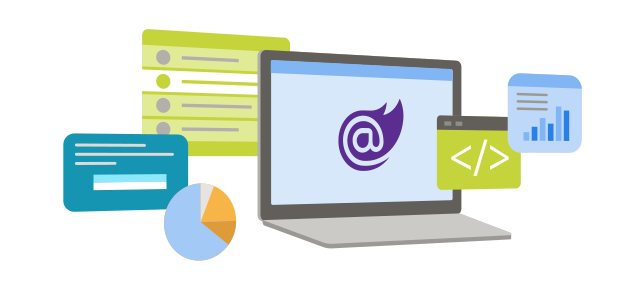
BlazorWebView & .NET MAUI Blazor
The Blazor Hybrid pattern uses a BlazorWebView component that hosts Blazor inside a MAUI application. Assemblysoft have been developing with Blazor Hybrid and .NET MAUI since pre-release and have real-world know-how to deliver your mobile application.
BlazorWebView communicates directly with the .NET runtime — no server round-trip. Your Blazor UI renders natively on-device with full access to .NET services and the complete dependency injection container.
.NET MAUI Blazor Client Benefits
.NET MAUI Blazor enables both native and Web UI in a single application. Combined with our Microsoft Azure cloud experience, .NET MAUI and Azure are a perfect fit for client integrations and future growth.
Our UK development team leverage Azure DevOps to seamlessly build and distribute your .NET MAUI mobile application to the Apple, Android, and Windows app stores.
.NET MAUI Blazor Hybrid Architecture
How the layers fit together — from your Razor components through to each native platform runtime.
BlazorWebView Component
The BlazorWebView hosts your Razor components inside a native WebView control on each platform — sharing every component across iOS, Android, Windows, and macOS while giving full access to platform capabilities.
Unlike a traditional WebView, it communicates directly with the .NET runtime. Your Blazor UI renders natively on-device with full access to .NET services and the complete dependency injection container — zero server round-trip.
Shared Code Architecture
A .NET MAUI Blazor Hybrid solution targets all platforms from a single project. Your Razor components, ViewModels, services, and business logic are written once and executed natively on every target platform.
Platform-specific code is isolated via .NET MAUI's multi-targeting and dependency injection — keeping the shared layer clean and fully testable while retaining direct native API access when required.
Azure DevOps CI/CD Pipeline
We build fully automated Azure DevOps pipelines that compile, sign, and distribute your app to all platforms simultaneously. Every commit triggers builds for iOS, Android, and Windows with automated test gates at each stage.
Distribution goes directly to TestFlight, Google Play Internal Track, and Microsoft Store — enabling rapid, repeatable, and consistent release cycles across your entire platform estate.
Start a meaningful conversation with us today.
Assemblysoft are Your Safe Pair of Hands
Azure

Azure DevOps